I built my own self-hosted media converter (and you can run it too)
Tired of sketchy converter sites with ad-walls, size limits, and files that never come back clean? I built an open-source, self-hosted video converter, audio extractor, GIF maker and social-media downloader. Here it is.

If you have ever needed to turn a video into a different format, or grab a clip off YouTube, you already know the drill. You search for a converter, land on some site plastered with ads, upload your file, wait, click the fake download button by mistake, click the real one, and hope the thing you get back isn't carrying something nasty. Half the time the site chokes on anything bigger than a phone clip. The other half, the site you used last month has simply vanished.
I got tired of it. So I built my own, and I'm putting it out there for anyone who wants it.
It's called Media Converter. It's a self-hosted web app that converts video between formats, pulls the audio out of a video, turns clips into GIFs, and downloads media from YouTube, Instagram, TikTok and X. It runs on your own machine, in your browser, and your files never leave your server. The whole thing is open source and up on GitHub right now: github.com/M1XZG/media-converter.
Why bother, when a hundred sites already do this?
That was the honest question I kept asking myself, because there really are a hundred of them. The answer came down to the pain of the free ones.
The free sites can't handle real files. I wanted to convert my own movies, the ones sitting in older formats that don't play nicely on modern hardware, into something better. No random web converter is going to let me push a full movie through it. There's a size cap, or a queue, or a "premium" upsell right at the moment you need it. And even when a site does work, you're trusting a stranger's server with your file and trusting that whatever comes back is clean.
Running it myself fixes all of that in one move. No upload limits, because it's my disk. No ads, no fake buttons, no mystery injected into the output. When I close the laptop and open it again next week, it's still there, still working, because nobody can pull the plug on it but me.
What it actually does
There are two jobs I wanted this to cover, and it does both.
The first is conversion. Drop in a video and turn it into MP4, AVI, MKV, MOV, WMV, FLV or WebM. It reads a long list of input formats too, including the older and stranger ones: MP4, AVI, MKV, MOV, WMV, FLV, WebM, M4V, MPEG, 3GP, OGV, TS and VOB. If you just want the audio, switch to Audio Only and pull out an MP3, AAC, WAV, FLAC or OGG. You can also rescale on the way through, from 480p up to 4K, with a proper Lanczos filter and some sharpening when you're upscaling so it doesn't come out mushy.
The second job is downloading. Paste a link from YouTube, Instagram, TikTok or X, pick video or audio and a quality, and it fetches it under downloads/ and keeps it there. Those files don't get swept up by the cleanup, so your library sticks around.
A few things I'm quietly proud of:
- GPU acceleration. If there's a supported GPU on the box, it uses hardware encoding automatically and falls back to CPU if there isn't. I run it on my streaming PC, which has an NVIDIA 4060 in it, so conversions lean on NVENC and fly.
- No size limits. Upload whatever you've got. That was the whole point.
- A GIF maker. More on this below, because it's my favourite part.
- Auto-cleanup. Temporary uploads and conversions delete themselves after 24 hours so the drive doesn't fill up. Downloads are kept.
- A media library page to browse and grab what you've made.
- Dark mode by default, because of course.
Making a GIF, start to finish
Let me walk through a real one, because it shows how little friction there is. I want to turn a six-second MKV clip into a GIF.
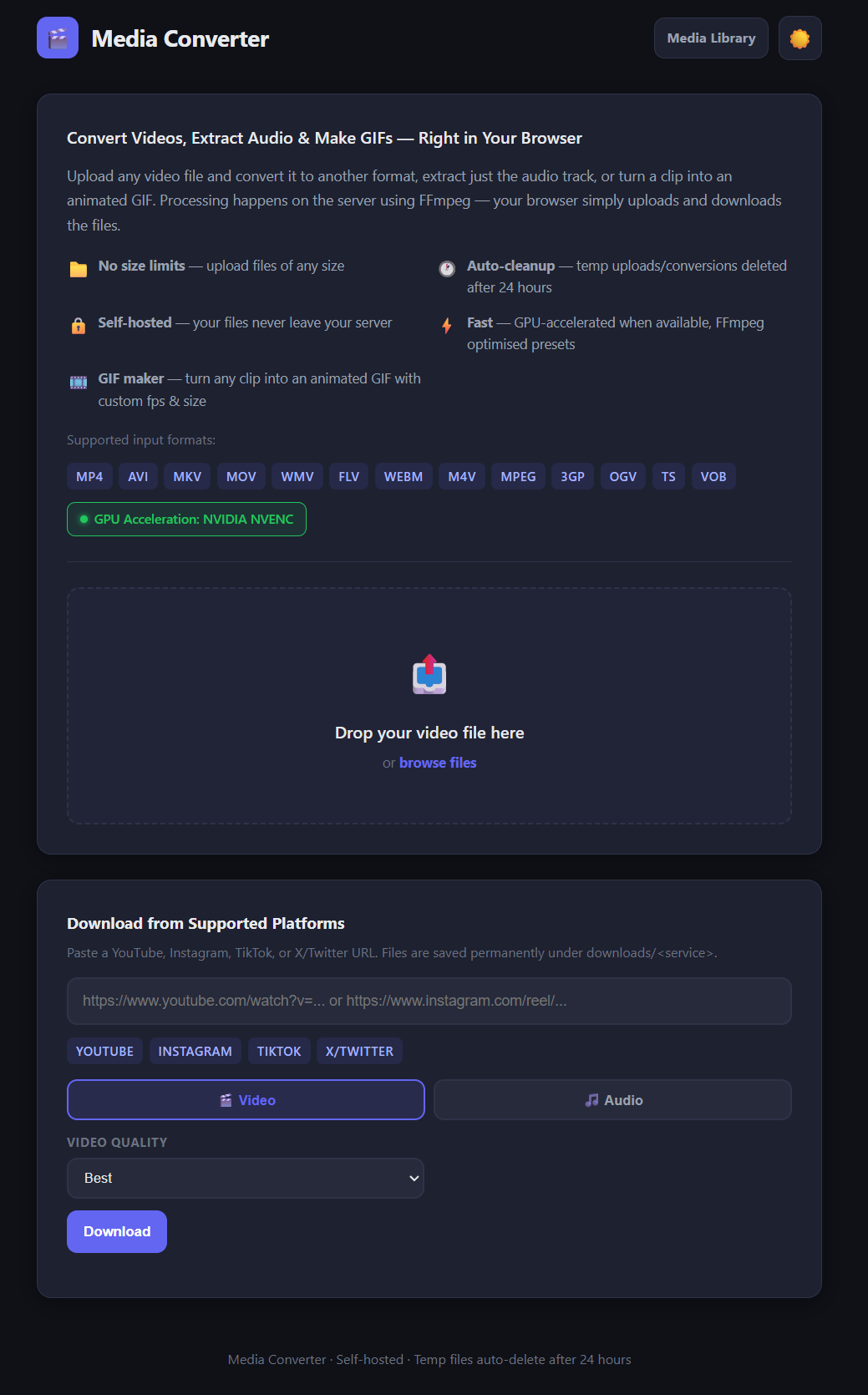
Here's the app when you open it. Drop zone up top for conversions, downloader down the bottom.
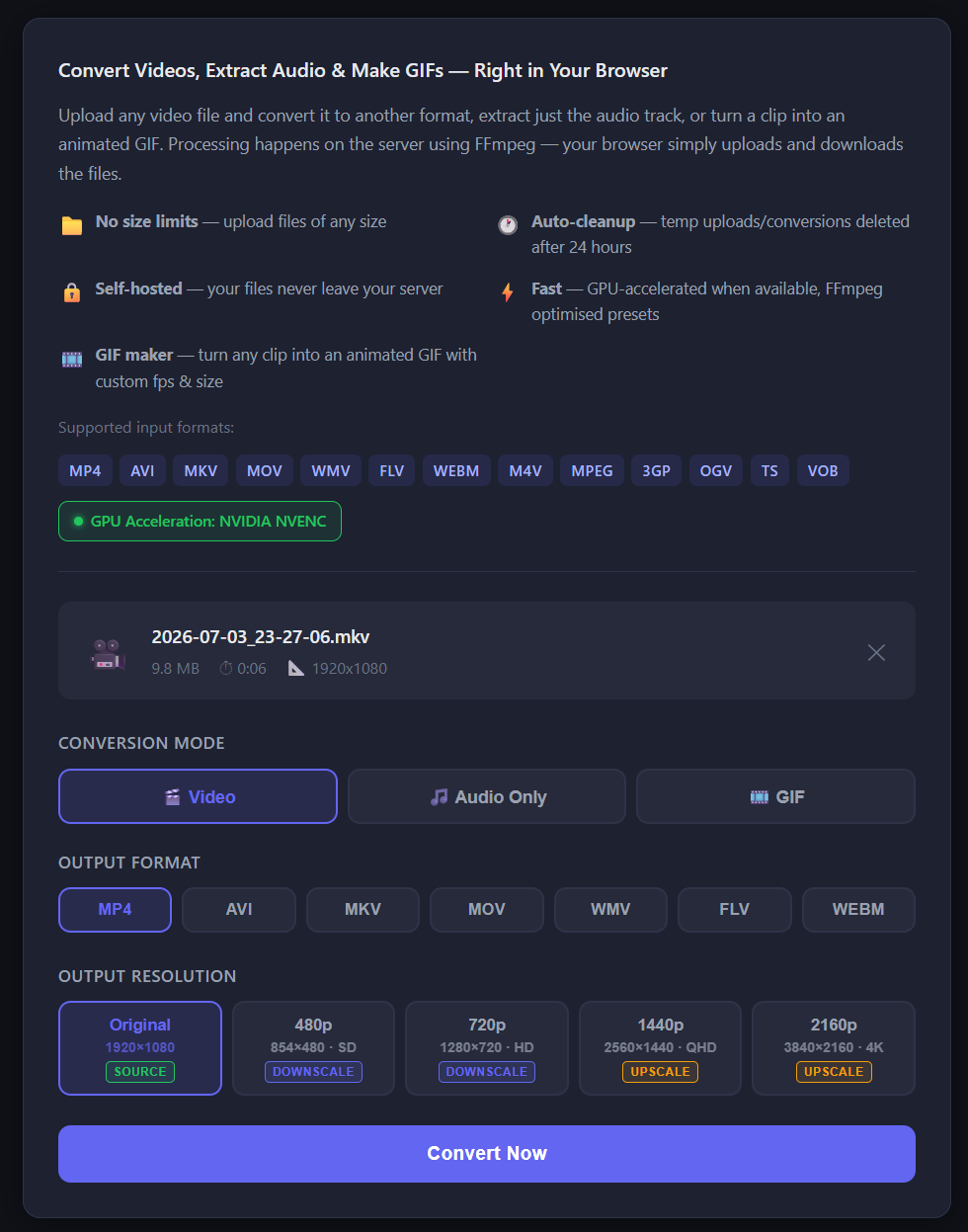
Drag the file in and it reads the details straight away: a 9.8 MB MKV, six seconds long, 1920x1080. By default it's set up for a video conversion, so you get the output format and resolution choices.
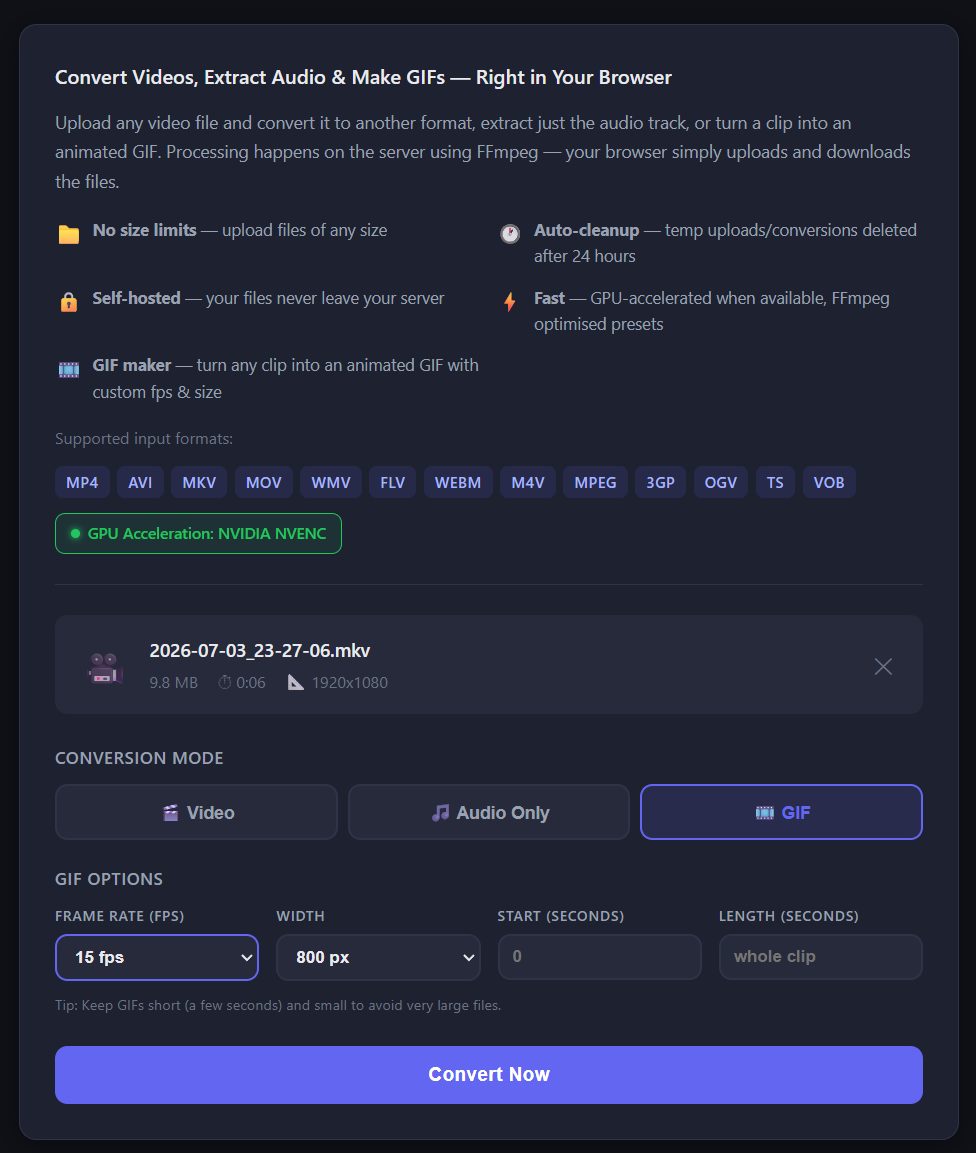
But I want a GIF, so I flip the mode over to GIF and a small set of options appears: frame rate, width, and an optional start and length if you only want a slice of the clip. I set 15 fps and 800 pixels wide, and leave it to run the whole clip.
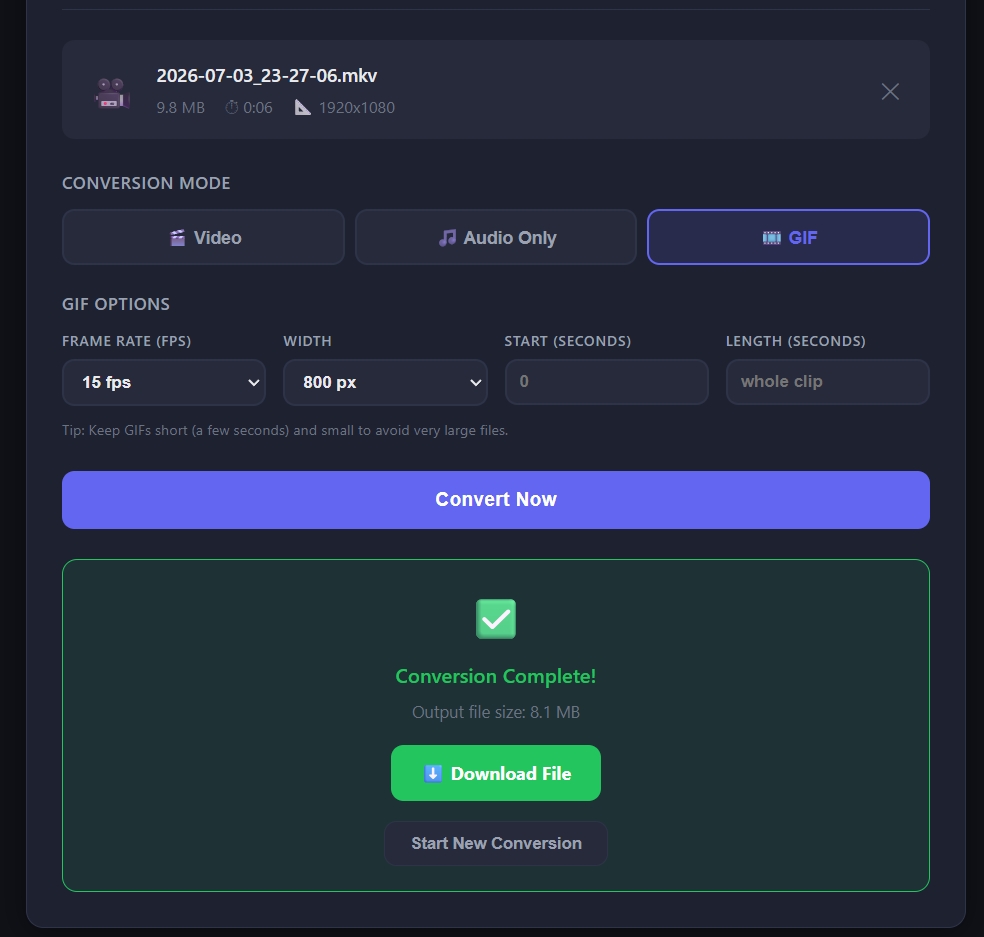
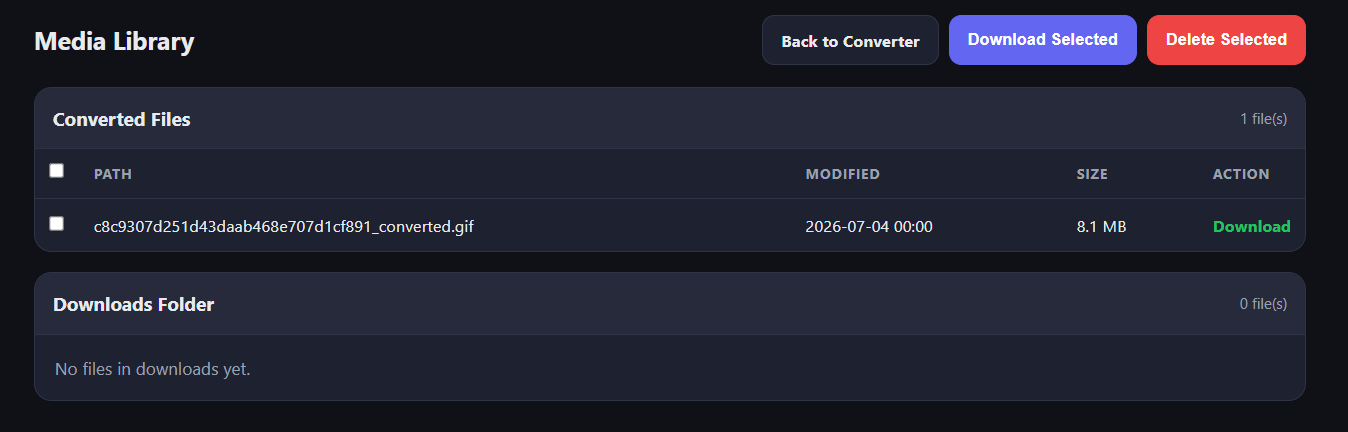
Hit Convert Now, and a moment later it's done. The six-second clip came out at 8.1 MB.
Behind that button, FFmpeg is doing the fiddly part properly: it generates a colour palette per clip and dithers against it, which is the difference between a GIF that looks like the source and one that looks like it was faxed. You don't have to think about any of that. You picked a width and a frame rate; the tool handled the rest.
The finished GIF lands in the media library alongside anything else you've converted, ready to download.
That's it. No account, no ads, no watermark, no wondering where your file went.
Running your own
If you've got Docker, it's genuinely one command:
git clone https://github.com/M1XZG/media-converter.git
cd media-converter
docker compose up -d
Open http://localhost:5000 and you're in. GPU support kicks in on its own if you have an NVIDIA card and the container toolkit installed, and it drops back to CPU if you don't. There's a plain Python install path too if you'd rather skip Docker; the README covers both.
It's yours now too
This started as an itch I wanted to scratch for myself, and it's been doing exactly what I hoped: chewing through my own movie collection and making the odd GIF without me ever touching a shady website again. I've wanted a tool like this for a long time, and now it exists, so I'd rather share it than sit on it.
It's open source under the MIT licence, so take it, run it, break it, change it.
If you hit a bug or you want a feature that isn't there, open an issue on the repo: github.com/M1XZG/media-converter/issues. I read them. And if you're the kind of person who'd rather send a fix than file a ticket, pull requests are welcome too. Bring your ideas, whatever they are, and we'll figure it out together.
Repo's here: github.com/M1XZG/media-converter. Go make something.